
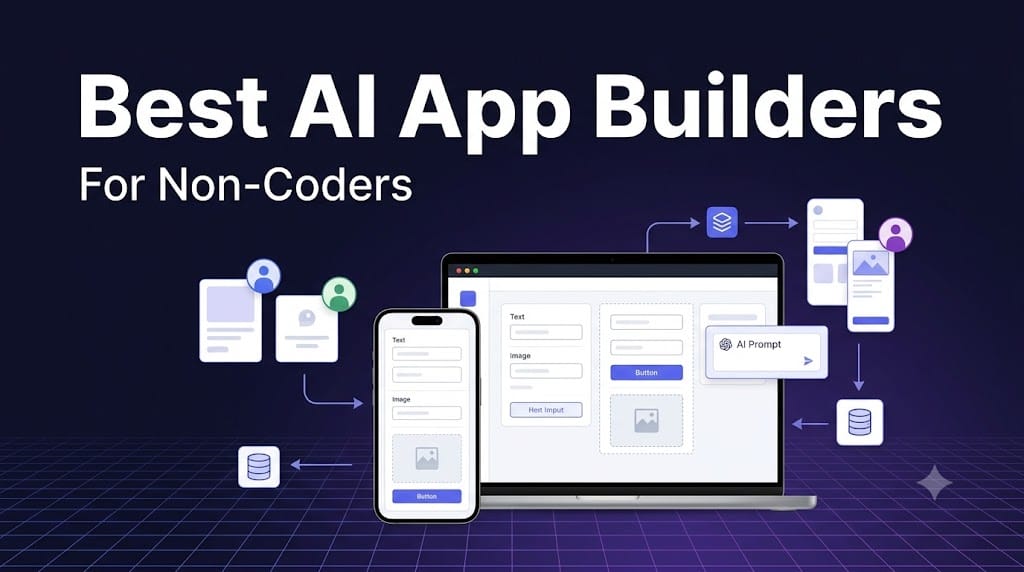
If you want the short answer: Lovable is the best AI app builder for most non-coders, because you can describe an app in plain English and quickly get a working web app.
If you need a serious no-code product with workflows and databases, choose Bubble. If you are building an internal tool from spreadsheets, go with Glide.
I have used AI tools to build websites, dashboards, small SaaS ideas, and internal tools, and my biggest lesson is simple: the fastest app builder is not always the best one.
A tool that creates a beautiful demo in five minutes can become painful when you need user logins, permissions, payments, data exports, or bug fixes.
So this ranking is based on what actually matters after the first prompt:
- How quickly you can get a usable version
- Whether non-technical users can maintain it
- Data, authentication, and permission support
- Deployment and integration options
- Real cost once the app has users
- How easy it is to hand off to a developer later
Lovable — Best overall for non-coders
Lovable is my top pick for most non-coders. You describe the app you want, and it generates the interface, logic, and supporting code. It is especially good for MVPs, dashboards, portals, simple SaaS ideas, and lightweight internal tools.
What I like most is that it does not force you to start with a blank canvas or learn a complicated visual editor. You can start with a prompt, test the result, and iterate.
Best for: Founders, marketers, and operators who want to turn an idea into a working web app quickly.
Pros
- Very fast prompt-to-app workflow
- Good for MVPs and custom web apps
- More flexible than template-based website builders
- Easier starting point than a traditional coding environment
Cons
- Complex apps still need testing and product thinking
- Payments, permissions, and edge cases need extra care
- AI credits and usage limits can matter if you build frequently
My take: Start with Lovable if you are non-technical and want to validate an app idea without hiring a developer on day one.
v0 by Vercel — Best for polished web interfaces
v0 is the tool I would choose when design quality matters. It is excellent for landing pages, dashboards, and frontend-heavy web apps, and it has a natural path into Vercel deployment.
It is more technical than Lovable because you will eventually encounter code, Git, and deployment concepts. But that is also its strength: your project is closer to a real software workflow.
Best for: Creators, product people, and teams who want polished interfaces and a clear deployment path.
Pros
- Excellent UI generation from prompts
- Strong Vercel and Git integration
- Useful for landing pages, dashboards, and prototypes
- Can work with existing GitHub repositories
Cons
- Not the easiest option for absolute beginners
- Backend logic still needs testing
- Vercel infrastructure costs can add up
My take: Use v0 if you care about how the app looks and want something that can eventually live in a proper developer workflow.
Bolt — Best for browser-based AI app building
Bolt is ideal if you want AI to write and edit app code directly in the browser. It feels more like a developer workspace than a visual no-code platform, which makes it powerful but slightly less beginner-friendly.
I would pick Bolt when you want to build a real web app, inspect the code, and possibly bring in a developer later. It gives you more control than a locked visual builder.
Best for: Ambitious non-coders who are comfortable with files, errors, and technical concepts.
Pros
- Browser-based, so setup is simple
- Good for prompt-driven web app prototypes
- You can inspect and edit generated code
- Higher technical ceiling than many visual tools
Cons
- Errors and deployment can still feel technical
- Not the best choice if you want a purely visual editor
- Credit-based usage can become expensive during heavy iteration
My take: Bolt is a great second step once you outgrow simple prompt-to-app tools.
Replit — Best for learning and launching real apps
Replit is more than an AI app builder—it is a full development environment. You get AI assistance, coding tools, hosting, collaboration, and deployment in one place.
If your goal is not just to ship an app but also to understand how software works, Replit is one of the best places to learn. The tradeoff is that it exposes you to more technical ideas than Lovable or Glide.
Best for: Non-coders who want to gradually become technical builders.
Pros
- AI agent can build, debug, and deploy projects
- Real codebase output
- Hosting and deployment included in the ecosystem
- Good for learning and collaboration
Cons
- More technical than visual no-code tools
- You may need to understand packages, files, and debugging
- Compute and AI usage can affect cost
My take: Replit is perfect if you are building in public, learning to code with AI, or want a project that can grow beyond a prototype.
Bubble — Best for serious no-code web apps
Bubble is still the most serious no-code platform for building a real software product. It gives you control over databases, user roles, workflows, and app logic without writing traditional code.
It is slower to learn than AI-first tools, but it is better suited for apps that need to survive beyond the demo stage. If you are building a SaaS product with users, permissions, admin screens, and recurring workflows, Bubble deserves serious consideration.softr+1
Best for: Founders building a long-term web app or SaaS product.
Pros
- Deep control over data, workflows, and UI
- Mature plugin and template ecosystem
- Suitable for complex business logic
- Can publish native mobile apps as well
Cons
- Real learning curve
- Can become hard to maintain without structure
- Pricing depends on workload and app usage
My take: Bubble is not the fastest way to build, but it may be the most dependable no-code option for a real product.
Glide — Best for internal tools from spreadsheets
Glide is the tool I recommend when your app is basically a better interface for business data. It works especially well with Google Sheets, Excel, and Airtable-style data, making it great for internal dashboards, directories, inventory trackers, and approval tools.
If your team already runs operations from a spreadsheet, Glide can turn that messy sheet into something much easier to use.
Best for: Teams replacing spreadsheets with simple internal apps.
Pros
- Very easy if your data already lives in Sheets or Excel
- Clean, mobile-ready interfaces
- Good for directories, dashboards, and workflow tools
- Faster to learn than Bubble
Cons
- Less flexible for custom consumer apps
- Complex permissions can get expensive or restrictive
- Update limits can matter for active teams
My take: Glide is not my first choice for a public SaaS product, but it is excellent for internal operations.
7. Softr — Best for business apps non-technical teams can maintain
Softr is one of the strongest options for client portals, CRMs, and internal business apps. Its AI Co-Builder can generate the database, pages, and logic, while the visual editor lets you refine the app without re-prompting everything.
What makes Softr stand out is its focus on maintainability. It supports data sources like Airtable, Google Sheets, Notion, HubSpot, and SQL databases, along with granular permissions for clients, staff, and vendors.
Best for: Operations teams, agencies, and businesses building client-facing portals.
Pros
- Strong permissions down to the record level
- Good integrations with common business tools
- Visual editing after AI generation
- Built for business apps, not just prototypes
Cons
- Less ideal for consumer SaaS or marketplaces
- Not as fast as pure vibe-coding tools for one-off prototypes
- Pricing increases with app users
My take: If a non-technical team needs to own and maintain the app after launch, Softr is a very safe choice.
Base44 — Best for fast full-stack prototypes
Base44 is one of the fastest ways to get a full-stack prototype without configuring separate services. It can generate the frontend, backend, database, logins, and hosting from a prompt.
I would use it for early validation: a booking tool, simple CRM, internal tracker, or a small product experiment. For anything with heavy scale or complex logic, I would test carefully before committing.
Best for: Solo builders testing lightweight ideas quickly.
Pros
- Very fast setup
- Backend, auth, and hosting included
- Good for simple apps and prototypes
- AI agents can support workflows and reports
Cons
- Iterating can consume credits quickly
- Scaling and runtime costs need attention
- Less suitable for complex production apps
My take: Base44 is excellent for “Can this idea work?” experiments.
Emergent — Best for complete production-ready builds
Emergent is aimed at non-technical founders who want more than a prototype. It uses specialized agents for design, backend, testing, and deployment, and it can generate React, Python, and MongoDB code that you own and can export.
That makes it interesting if you want to avoid platform lock-in and eventually hand the project to developers. The downside is that complex builds can consume credits unpredictably.
Best for: Founders who want a complete app with code ownership.
Pros
- Full-stack output including backend, auth, and payments
- Code export and GitHub integration
- Better suited to real products than simple prototypes
- Multi-agent approach handles more of the build process
Cons
- Credit usage can be hard to predict
- Overkill for basic internal tools
- Still requires product judgment and QA
My take: Emergent is worth considering when you want to build something closer to a real software business, not just a demo.
FlutterFlow — Best for native mobile apps
FlutterFlow is the best pick when your main goal is a native mobile app. It is built on Google’s Flutter framework and supports iOS, Android, web, and desktop output.
It is more visual than AI-first, but AI generation can help create screens and components. Just remember that publishing and code export are gated behind paid plans.
Best for: Builders whose primary target is mobile.
Pros
- Real native mobile output
- Visual editor with strong mobile focus
- Flutter code export on paid plans
- Large template library
Cons
- Not the easiest starting point for total beginners
- Free plan cannot publish production apps
- AI requests are limited on lower plans
My take: Choose FlutterFlow only if mobile is central to your product.
WeWeb — Best for frontend control
WeWeb is best for people who want detailed control over the frontend without writing every line of code. It connects to Supabase, Xano, REST APIs, and other backends, and it lets you download your app code and host it elsewhere.
It is powerful, but I would not call it the easiest tool for a complete beginner. It is better for technical builders, designers, or teams with some development support.
Best for: Technical builders who want frontend flexibility and backend choice.
Pros
- Granular design and component control
- Flexible backend integrations
- Code export and self-hosting options
- Good for custom web apps
Cons
- Built more for developers than absolute beginners
- Platform and hosting costs can be separate
- Learning curve is real
My take: Use WeWeb when design control and backend flexibility matter more than speed.
Figma Make — Best for design-to-prototype workflows
Figma Make is not a full app builder, but it is excellent for turning an idea into a clickable prototype. It works inside Figma, which makes it ideal for product teams that already use Figma for design.
I would use it to validate a concept with users or stakeholders, then build the actual app in Lovable, Bubble, Softr, or another production-ready platform.
Best for: Designers and product teams validating ideas before development.
Pros
- Fast interactive prototypes
- Natural fit for Figma users
- Good for stakeholder feedback
- Included with Figma plans
Cons
- No real authentication, permissions, or production database
- Not suitable as your final app platform
- AI credits can run out quickly
My take: Figma Make is a prototyping tool, not a replacement for a real app builder.
How I would choose
If I were starting today, I would use this simple decision process:
- Building a web MVP from an idea? Use Lovable.
- Care most about polished UI and Vercel deployment? Use v0.
- Want to learn real development while building? Use Replit.
- Building a serious SaaS with workflows and users? Use Bubble.
- Turning a spreadsheet into an internal tool? Use Glide.
- Building a client portal or CRM for a non-technical team? Use Softr.
- Need a native mobile app? Use FlutterFlow.
- Only need a clickable prototype? Use Figma Make.
What non-coders should check before choosing
Do not choose only based on the first generated screen. Ask these questions:
- Can I edit the app after the AI builds it?
- Does it support logins, roles, and permissions?
- Where does my data live, and can I export it?
- What happens when I need a bug fixed?
- What does the app cost with 100 real users, not zero users?
- Can a developer take over later if needed?
AI can get you to a working demo very quickly. The harder part is data security, permissions, payments, maintenance, and making sure the app still makes sense after real people start using it.
FAQs
What is the best AI app builder for non-coders?
Lovable is the best overall AI app builder for most non-coders because it turns plain-English prompts into working web apps quickly. For more structured no-code products, Bubble is stronger; for internal tools built from spreadsheets, Glide is better.
Can I build a real app without coding?
Yes. You can build prototypes, internal tools, dashboards, portals, and simple SaaS products without coding. But apps involving payments, private customer data, complex permissions, or high traffic still need careful testing and ideally developer review.
Is Lovable better than Bubble?
Lovable is faster for prompt-based MVPs and early validation. Bubble is better for complex no-code apps with workflows, databases, user roles, and long-term maintenance needs.
Are AI app builders good for SaaS?
They can be. Lovable, Bubble, Replit, Emergent, and Softr can all support SaaS-style products, but the right choice depends on your workflow complexity, data model, and how much control you need after launch.
Do AI app builders replace developers?
Not completely. They reduce the need for a developer at the beginning, especially for prototypes and simple tools. For production apps with security, payments, integrations, and scale, a developer review is still a smart investment.
Spotted something outdated or wrong?
Report an issue
We hate ads too. Sign up free to remove them








Comments