
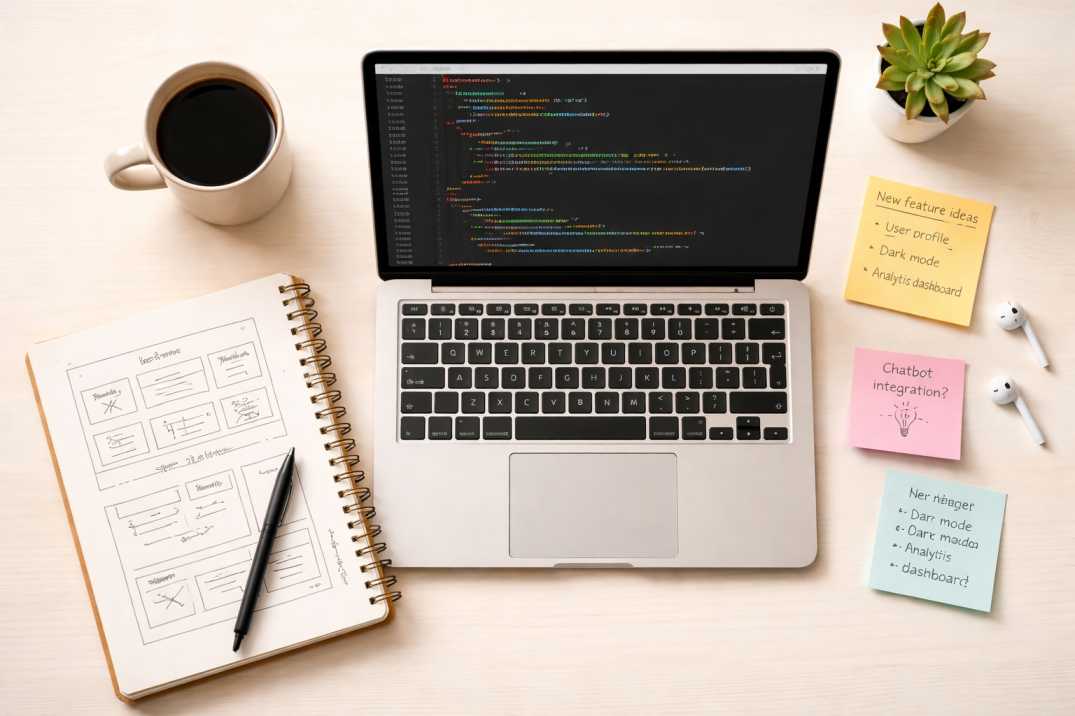
I am a product manager by profession. My job is to think about users, write PRDs, talk to stakeholders, and make sure the right things get built. I am not supposed to be the one doing the actual building.
But somewhere around mid last year, I got this idea stuck in my head: what if I just built the tools myself?
Not to replace developers. Not to become a full-stack engineer overnight. Just to understand what is actually happening when someone clicks a button on a webpage.
That one thought changed a lot for me. Here is the full story.
It started with a stupid simple idea
My first tool was a JPG to PNG converter.
If you are laughing, I get it. There are probably 10,000 of these already on the internet. But here is the thing — I did not build it because the world needed another one. I built it because I wanted to see if I could.
I used what people are now calling vibe coding. I described what I wanted to a AI tool, got a block of HTML and JavaScript, pasted it into my Ghost blog as an HTML card, and it worked. Sort of.
The image uploaded. It converted. The download button triggered something.
I had no idea what canvas.toBlob() did. I did not know why there was a FileReader in the code. I did not understand what URL.createObjectURL was doing. I just knew: user uploads JPG, user gets PNG. Done.
At that point, my understanding of what was happening under the hood was close to zero. And honestly, that was fine. The tool worked. People used it. I moved on.
The second tool taught me that "working" and "good" are very different things
My second tool was a Word Counter and Readability Checker. A step up from image conversion — now I was dealing with text input, live counting, and readability scores.
This is where I started actually reading the code instead of just pasting it.
I noticed the code was listening for an input event on a textarea. That was the first time I truly understood what an event listener was — not as a concept from a course, but as something real I could see doing a job in front of me.
I also broke it multiple times. The readability score was calculating wrong. Sentences were not being counted properly when there were line breaks instead of full stops. I had to actually go into the JavaScript and understand how the regex was splitting the text.
That debugging session taught me more than any tutorial I had watched.
Tool 3 was where I first understood the DOM
The LinkedIn Text Formatter was my third tool. Users type text, apply bold or italic formatting using Unicode characters, and copy the styled output to paste into LinkedIn.
This tool forced me to understand the DOM properly for the first time.
I had to grab elements by their ID, read their values, transform the text, and push the result back into another element. Simple stuff in theory. But when you are doing it yourself and something is undefined or null, you have to actually trace through what the browser is doing step by step.
I also learned about navigator.clipboard.writeText() here. One line of code, but understanding why it exists — because browsers restrict clipboard access for security reasons — made me think differently about how the web works.
JSON Formatter was when I started feeling like I actually understood JavaScript
My fourth tool was a JSON Formatter, Viewer, and Validator.
This one felt like a proper developer tool. People who use JSON formatters are usually developers or technical PMs. I wanted to build something that could beautify, minify, and validate JSON in real time.
For the first time, I used try/catch in a way I actually understood. I used JSON.parse() and JSON.stringify() with indentation. I built a recursive function to walk through JSON nodes and render them as a tree.
I also understood for the first time what "parsing" actually means. You take a string, you interpret its structure, and you turn it into something a program can work with. That sounds obvious now. But when I watched the code break a raw JSON string into an object I could loop through, something clicked in my head.
The LinkedIn Video Downloader was my first time using a public API
Tool number five — the LinkedIn Video Downloader — is where things got interesting.
For the first time, I was not just manipulating text or images on the client side. I was calling an external API, passing it a URL, getting back a response with download links, and presenting those to the user.
I had heard "API" a thousand times in product meetings. "Can we hit the API for this?" "Does the API support that?" But I had never actually written a fetch() call myself and waited for the response.
When I did it the first time and it worked — when I passed a LinkedIn video URL and got back a clean JSON response with video qualities — I felt like I had unlocked something.
I also learned about CORS that day. And I will be honest, I still find CORS annoying. But now I know what it is and why it exists, which means I can explain to an engineer what they need to do to fix it instead of just saying "it's not working."
Tool 6 was weird, niche, and one of my favourites
The JSON to TOON Converter is probably my most niche tool. It converts structured JSON into a compact text format called TOON that uses less tokens when you are working with LLMs.
This was the first tool where I built something because of a personal need. I was working with AI prompts a lot and kept running into token limits. I wanted to shrink structured JSON before pasting it into prompts.
Building this tool taught me about string manipulation at a different level. I had to write logic that recursively walks through a JSON object and converts it into a custom flat format. Then I had to write the reverse parser.
It also taught me something about tool ideas: the most useful tools are often the ones you build for yourself first.
Tool 7 was the first time I thought about the user like a PM, not just a builder
The RICE Score Calculator was the first tool I built where I spent real time thinking about the UX before writing a single line of code.
RICE is a product management prioritization framework — Reach × Impact × Confidence ÷ Effort. I wanted a tool where PMs could add multiple features, score each one, sort by RICE score, and export the results as a CSV.
This tool had more moving parts than anything I had built before:
- A dynamic table where rows could be added and removed.
- Live calculations on every input change.
- Sorting logic.
- A CSV export function.
The CSV export was the first time I built a "download" feature that did not use any external library. I created a Blob from a string, generated an object URL, and triggered a click on a hidden anchor tag. When it worked the first time I think I literally said "what the hell" out loud.
Tool 8 — the invoice generator — is where I realized how far I had come
The most recent tool I built is a Free Invoice Generator. And when I look at it next to my JPG to PNG converter, I genuinely cannot believe both of those came from the same person.
The invoice generator has:
- Multiple dynamic form fields with real-time validation.
- A line-item table where rows are added and removed dynamically.
- Live subtotal, tax, and total calculations that update as you type.
- A full PDF download using jsPDF, drawing text, lines, and structured layout on an A4 canvas.
- localStorage saving so your last session is restored when you reload the page.
When I was building the JPG to PNG tool, I did not know what addEventListener was.
Now I am writing functions that loop through DOM nodes, extract values, calculate totals, construct a PDF document in memory, convert it to a Blob, create an object URL, and trigger a file download — all in the browser, without a backend.
That is not a flex. That is just what consistent practice looks like.
What vibe coding actually taught me (and what it didn't)
I want to be honest about this because a lot of people are debating whether vibe coding is real learning or just copy-pasting.
Here is my experience: vibe coding gets you started. It removes the blank-page problem. You can describe what you want, get a working prototype, and immediately have something real to poke at.
But the actual learning happens in the debugging.
Every time something broke — and things broke constantly — I had to understand the code to fix it. The AI-generated code is not always clean. It sometimes uses methods that do not exist in the version of the library you are using. It sometimes makes assumptions about your HTML structure that are wrong.
When I had to fix those things, I had to read the code. And reading the code taught me the code.
So my honest take: vibe coding is a fantastic way to learn if you treat every broken thing as a lesson, not a problem to immediately paste back into the chat.
The specific things I actually learned, tool by tool
Looking back, here is what each tool genuinely taught me:
- JPG to PNG — Canvas API, FileReader, object URLs, how images work in the browser.
- Word Counter — Event listeners, regex, string methods, live DOM updates.
- LinkedIn Formatter — DOM manipulation, clipboard API, Unicode character encoding.
- JSON Formatter — JSON.parse/stringify, try/catch, recursive functions, real-time rendering.
- LinkedIn Video Downloader — fetch(), APIs, CORS, async/await, working with JSON responses.
- JSON to TOON — String parsing, custom data formats, writing your own serializer.
- RICE Calculator — Dynamic tables, sorting arrays, CSV generation, file download without libraries.
- Invoice Generator — Complex form state, PDF generation with jsPDF, localStorage, multi-step calculations.
My honest tips if you want to do this too
1. Start with something you actually want.
The tools I built out of personal need turned out better than the ones I built just to have something on the site. When you use the tool yourself, you notice every annoying edge case.
2. Do not try to understand everything before you start.
My JPG to PNG tool had code I did not understand at all. That was fine. Build first, understand later. Understanding will come from fixing things.
3. Break things on purpose.
After you get something working, change a value, remove a line, and see what breaks. That is the fastest way to understand what each piece of the code is doing.
4. Read the error message, do not just copy it into the chat.
I wasted so much time in my first few tools just pasting errors into AI and asking for a fix. Reading the error, understanding what it means, and then asking a specific question saved me 10x more time.
5. Your tools are a portfolio, even if you think no one cares.
People find these tools through search. They use them. They share them. A simple tool that solves a real problem will get organic traffic for months without you doing anything.
6. Ghost is genuinely a great place to host tools.
If you have a Ghost blog, you can embed fully functional tools as HTML cards. No extra hosting, no complicated deployment, no backend required for client-side tools. It is one of the most underrated ways to build a tool portfolio.
Where I am going next
I am now building more complex tools — things with multiple steps, saved states, and real user flows. The invoice generator with localStorage session saving is a good example of that direction.
The gap between what I understand now and what I understood when I built my first tool is bigger than any formal course I have taken in my life.
I did not become a developer. But I became a product manager who can actually look at a codebase, understand what is happening, write a working prototype, debug it, and ship it.
For a PM, that changes everything about how you talk to engineers, how you scope features, and how you think about what is "simple" and what is genuinely complex.
If you are a PM reading this and thinking about building your first tool: do it. Start with something small. Start with something broken. Just start.





Comments